Search Setssearch-field
Filters the set list by name.
The field is labeled Search Sets.
 Scott's TCG Binder
Sets browses the catalog. Each card in the grid is a set, not an individual Pokémon card.
Sets browses the catalog. Each card in the grid is a set, not an individual Pokémon card.
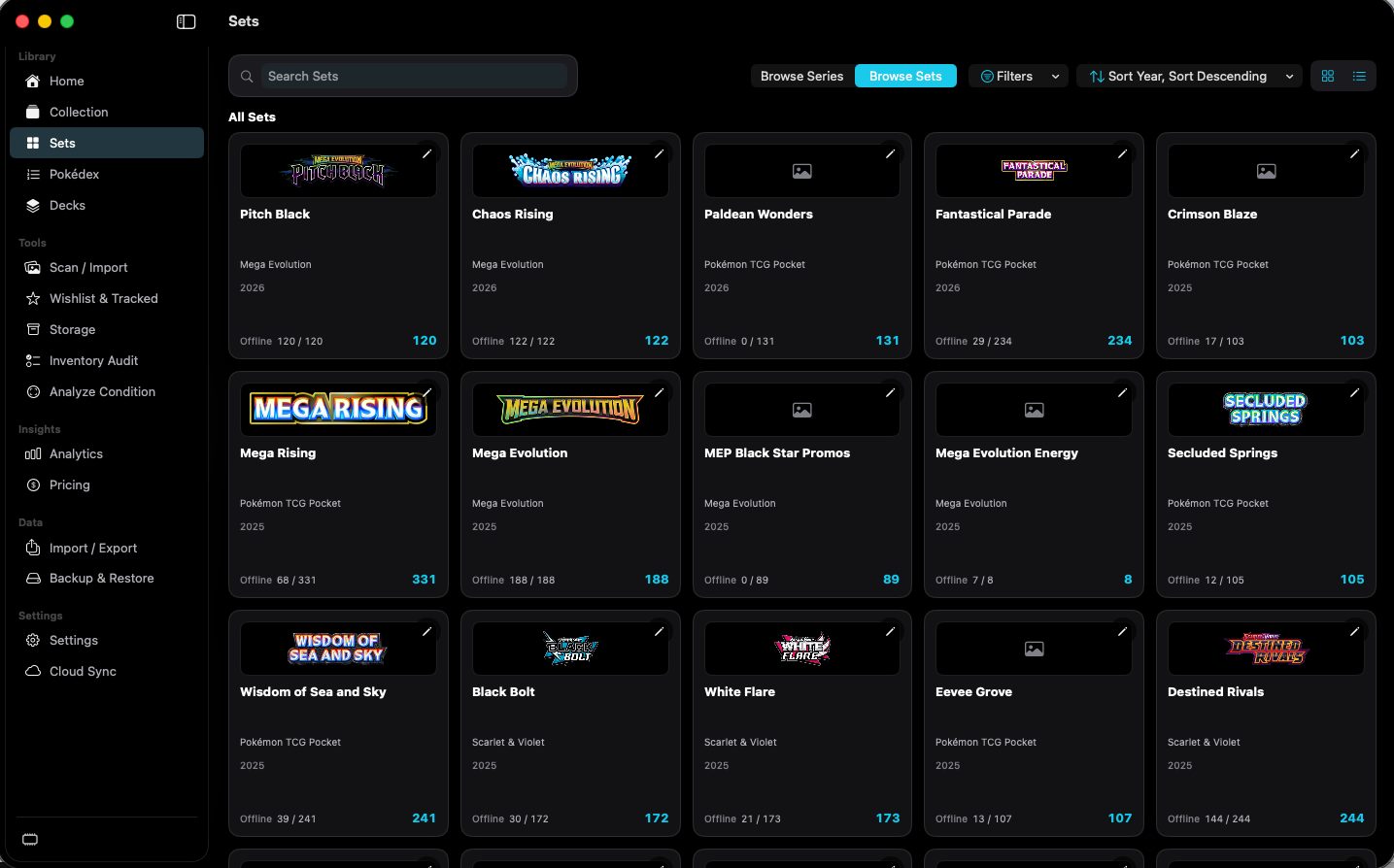
shot desktop-sets · seq 7 · assets/screenshots/original/desktop/0007.png
Visual reference not yet available for this platform.
Visual reference not yet available for this platform.
Filters the set list by name.
The field is labeled Search Sets.
Switches the catalog grouping.
Browse Sets is selected in the capture. Browse Series was not opened.
Not fully verified in the capture.
Filters sets by series or year.
Filter Series lists series such as Base, Scarlet & Violet, and Mega Evolution. Filter All Series and Clear Filters are in the menu. Filter Year is a submenu.
Orders the set list.
The visible label is Sort Year, Sort Descending.
Switches the set browser between two layouts.
Two layout icons sit beside sort. Only the grid of set cards was captured.
Not fully verified in the capture.
Browse the catalog by set, then see what you own.