Search
The field placeholder is Name, set, number, artist.
 Scott's TCG Binder
Collection is the working library of cards you own. Each tile shows the card, quantity, and collector number. A side inspector and a full card screen carry condition, storage, and price.
shot desktop-collection-grid · seq 2 · screen collection
Visual reference not yet available for this platform.
Visual reference not yet available for this platform.
The field placeholder is Name, set, number, artist.
Grid, list, and table. Grid size can be small, medium, or large.
Show or hide Name, Set, Number, Foil, Quantity, Condition, Grade, Location, Estimated Value, Favorite, and Trade. Reset Columns restores the default set.
Catalog Artwork and My Card Photo, ownership fields, Expand Details, and Close.
Collection lists owned cards. Search accepts name, set, number, or artist. Grid, list, and table layouts are available. Table columns can be shown or hidden. Selecting a card opens an inspector.
shot desktop-collection-grid · seq 2 · screen collection
Visual reference not yet available for this platform.
Visual reference not yet available for this platform.

Owned cards in a grid with search and pager.
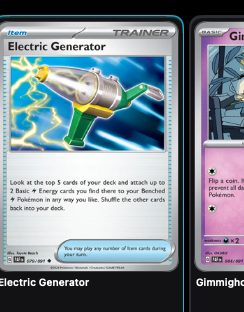
Owned cards in a grid with search and pager.
Desktop is the captured platform. iPhone and iPad stay on this feature so later screenshots attach without a second catalog.
shot desktop-collection-grid · seq 2 · screen collection
Visual reference not yet available for this platform.
Visual reference not yet available for this platform.
Operational steps, controls, and the annotated screen.