Format and goalmenu
Sets the deck the builder should aim for.
The capture shows Standard and Best I Can Build Now. Other choices were not opened.
Not fully verified in the capture.
 Scott's TCG Binder
Decks generates a recommended deck and stores saved decks.
Decks generates a recommended deck and stores saved decks.
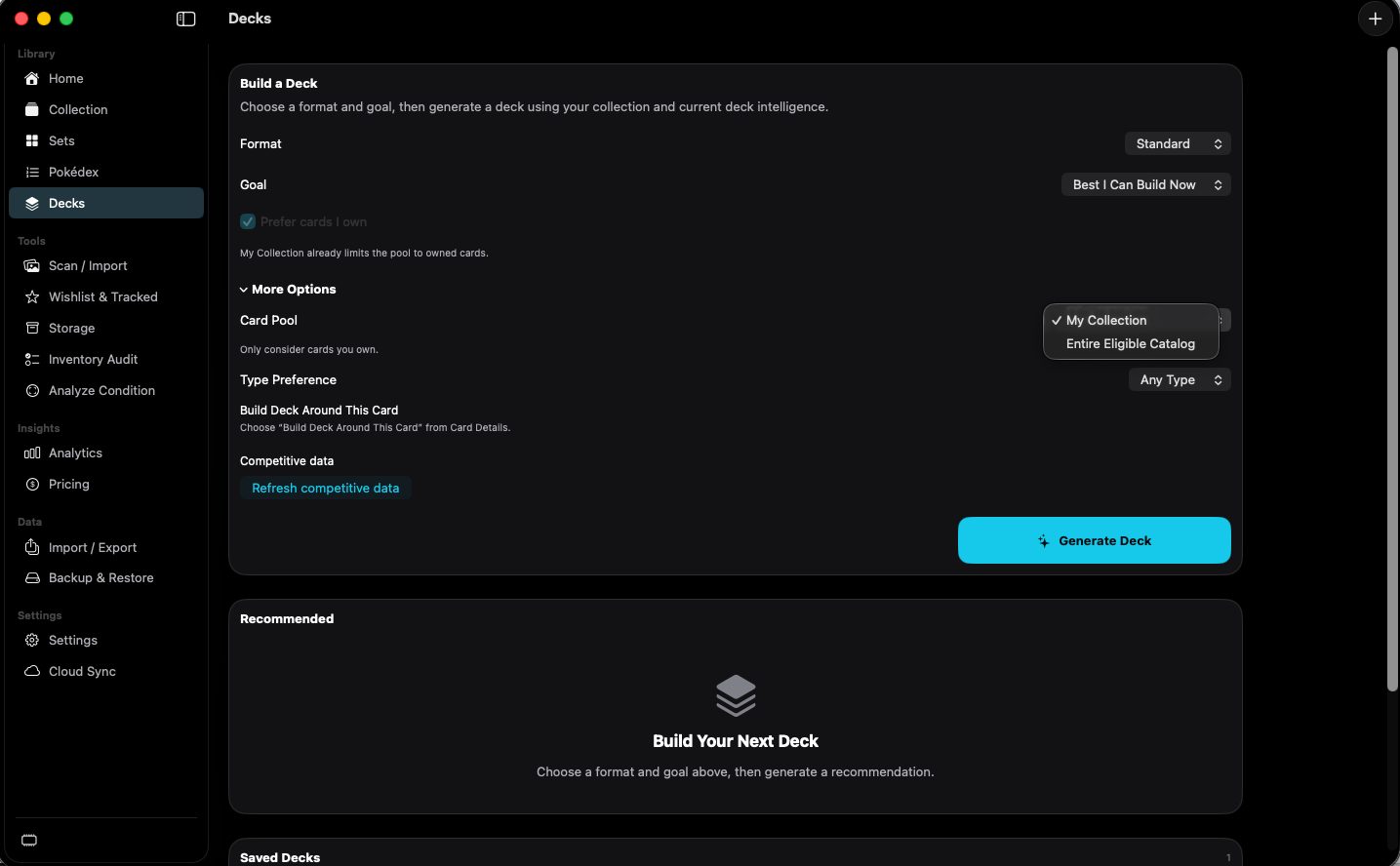
shot desktop-decks · seq 13 · assets/screenshots/original/desktop/0013.png
Visual reference not yet available for this platform.
Visual reference not yet available for this platform.
Sets the deck the builder should aim for.
The capture shows Standard and Best I Can Build Now. Other choices were not opened.
Not fully verified in the capture.
Chooses which cards the builder may use.
My Collection or Entire Eligible Catalog. Prefer cards I own is also checked, and the page says the collection already limits the pool.
Builds a recommendation from the current options.
The button is labeled Generate Deck. A finished recommendation was not captured.
Not fully verified in the capture.
Generate a deck from cards you already own.