Scan / Importbutton
Opens Scan / Import from the Home header.
The button is labeled Scan / Import.
 Scott's TCG Binder
Home is the dashboard. It summarizes the collection, lists tracked sets, and shows recent cards.
Home is the dashboard. It summarizes the collection, lists tracked sets, and shows recent cards.
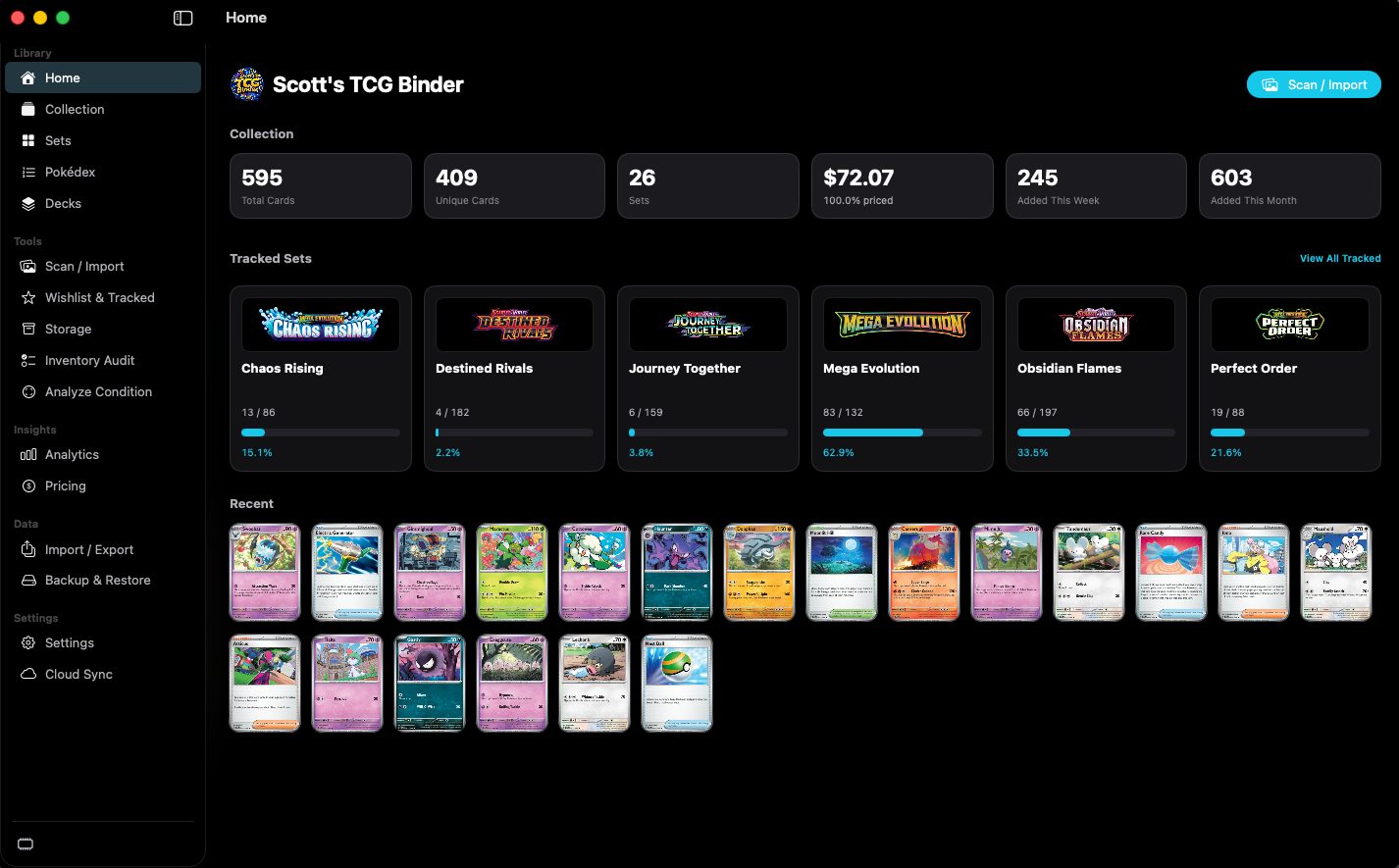
shot desktop-home · seq 1 · assets/screenshots/original/desktop/0001.png
Visual reference not yet available for this platform.
Visual reference not yet available for this platform.
Opens Scan / Import from the Home header.
The button is labeled Scan / Import.
Opens the tracked-set list.
Shown at the end of the Tracked Sets row.
Card images added recently.
The capture shows two rows of card art. Selecting one was not captured.
Not fully verified in the capture.
See the collection the moment the app opens.