General
Version, license link, appearance, and start page.
 Scott's TCG Binder
Settings is where the app-wide defaults live: the start page, the condition applied to new cards, the camera used for scanning, and the pricing sources.
shot desktop-settings-general · seq 23 · screen settings
Visual reference not yet available for this platform.
Visual reference not yet available for this platform.
Version, license link, appearance, and start page.
Quantity, condition, language, storage location, collection view, items per page, and the rule for adding an existing card.
Default camera, connection status, test, auto-capture, capture delay, and resume after scan.
Settings uses its own category list: General, Collection, Scanner & Recognition, Camera, Condition Analysis, Pricing, Cloud Sync, iPhone Catalog, Advanced, and Developer. Light mode is labeled not available yet. Advanced and parts of Developer were not fully captured.
shot desktop-settings-general · seq 23 · screen settings
Visual reference not yet available for this platform.
Visual reference not yet available for this platform.
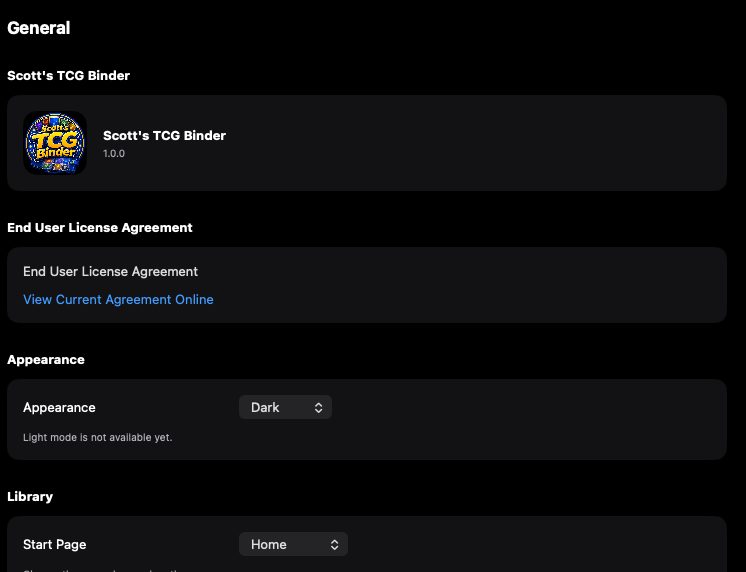
General settings with appearance and start page.
Desktop is the captured platform. iPhone and iPad stay on this feature so later screenshots attach without a second catalog.
shot desktop-settings-general · seq 23 · screen settings
Visual reference not yet available for this platform.
Visual reference not yet available for this platform.
Operational steps, controls, and the annotated screen.